Booklet Google Slide Template: A Complete Design Toolkit
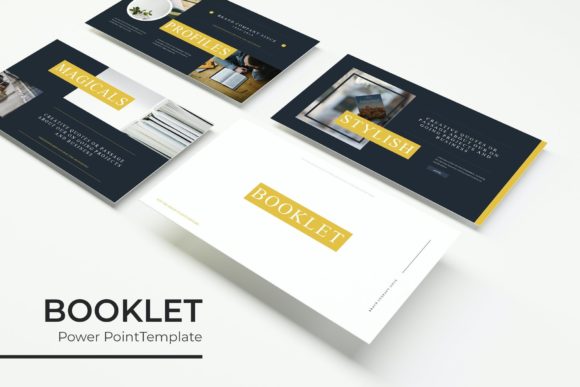
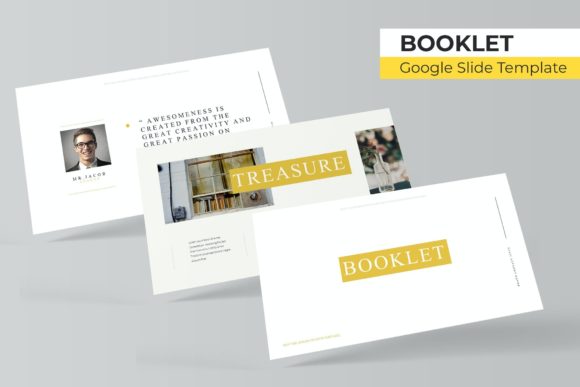
Imagine presenting your next big idea with the polished, cohesive look of a professionally designed booklet, all within the familiar environment of Google Slides. The Booklet Google Slide Template is precisely that—a versatile and comprehensive design asset that transforms your presentations from simple slideshows into stunning visual narratives. With over 150 total slides across five premade color schemes, this template offers a robust foundation for any project requiring clarity, creativity, and impact.
This isn't just a collection of slides; it's a complete presentation system built on master slides for pixel-perfect consistency. The design includes handcrafted infographics, dedicated section break slides, and elegant gallery and portfolio layouts. Every element, from the resizable graphics to the drag-and-drop picture placeholders, is fully editable, giving you complete creative control without needing advanced design skills. The use of free fonts, with download links included, ensures your final product looks exactly as intended.
Creative Flexibility for Every Project
The true value of a premium design asset like this lies in its adaptability. Consider how it can elevate a wide range of creative endeavors:
- Brand & Business Presentations: Create investor pitches, company overviews, or marketing strategies that feel cohesive and authoritative. The consistent color variations help reinforce brand identity across every slide.
- Portfolio & Case Studies: Showcase your work as a designer, photographer, or artist using the dedicated gallery slides. The clean layouts ensure your projects remain the focal point.
- Educational & Workshop Materials: Develop engaging course materials, training manuals, or workshop handouts that are visually organized and easy to follow, thanks to the infographic and section break slides.
- Event Proposals & Reports: Design compelling proposals for events, projects, or research findings. The structured layout guides your audience through the information logically and attractively.
Practical Tips for Maximizing Your Template
To get the most out of this Google Slide template, a few thoughtful considerations can make a significant difference. First, always start by selecting the color scheme that best matches the mood and brand guidelines of your project. The five premade options provide a great starting point for customization.
Next, leverage the master slides. Editing elements on the master slide level ensures uniformity throughout your presentation, saving you time and maintaining a professional standard. When adding your own images, use the provided picture placeholders to ensure perfect alignment and sizing. Finally, test your presentation in slideshow mode to check the flow and readability of all text and visual elements.
Choosing the right design assets is about more than just aesthetics; it's about effective communication. A well-structured template like this does the heavy lifting of layout and design, allowing you to focus on your core message. It provides the visual polish and organizational framework that can make your content more persuasive, memorable, and professional. Whether you're building a brand identity or simply need to deliver a clear, impactful presentation, having a reliable and flexible toolkit is an invaluable creative advantage.